Bitcoin Tutorials - Herong's Tutorial Notes - v1.07, by Herong Yang
Install Bitcoin Core for Windows
This section describes how to install Bitcoin Core for Windows.
Bitcoin Core is a Standalone Full-Node Wallet for Windows computers. It stores the digital credentials for your bitcoin account and allows you to receive and send Bitcoin funds. It also maintains a complete set of Bitcoin blockchain data locally and runs as a node on the Bitcoin Network.
Here is what I did to install Bitcoin Core on my Windows computer:
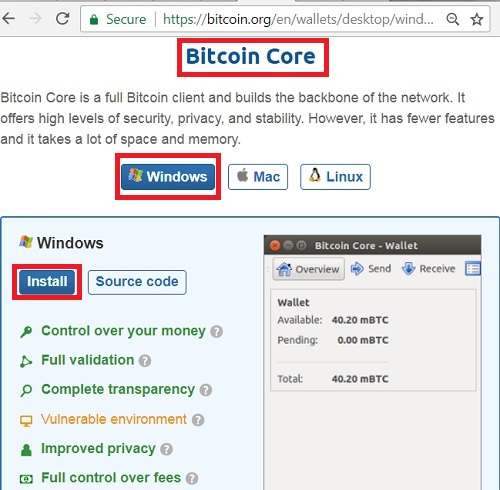
Go to https://bitcoin.org/en/wallets/desktop/windows/bitcoincore/.
Click "Install" button and select "Windows (zip) 64 bit - 32 bit".
Save the download file as \local\bitcoin-0.15.1-win64.zip.
Unzip it \local\bitcoin-0.15.1.
Try it in a command window
C:\>\local\bitcoin-0.15.1\bin\bitcoin-qt -version
You should see the Bitcoin version message screen.
"Bitcoin Core for Windows" is installed now and ready to use.
Below is the "Bitcoin Core for Windows" download Website:
Bitcoin Core is also an open source application. You can download its source code at https://github.com/bitcoin/bitcoin.
Table of Contents
Functionalities of Bitcoin Wallet
Data Architectures of Bitcoin Wallet
►Install Bitcoin Core for Windows
Bitcoin Core Download Blockchain
Bitcoin Core Data File Location
Uninstall Bitcoin Core for Windows